> For the complete documentation index, see [llms.txt](https://docs.mento.org/mento-v3/llms.txt). Markdown versions of documentation pages are available by appending `.md` to page URLs; this page is available as [Markdown](https://docs.mento.org/mento-v3/dive-deeper/governance-and-mento/participating-in-governance/creating-proposals.md).
# Creating Proposals
## Introduction
Creating a proposal is how you turn ideas into action within the Mento Protocol. Whether suggesting parameter adjustments, requesting treasury funding, or proposing technical upgrades, the governance system provides a clear path from concept to implementation. This guide walks you through the entire proposal creation process.
## Prerequisites
### Required veMENTO Balance
To create a proposal, you must meet the minimum voting power threshold:
* **Current threshold**: 10k veMENTO
* Your veMENTO must exceed this amount at proposal submission
* Locked MENTO after submission won't count toward existing proposals
### Forum Discussion
Before creating an on-chain proposal:
1. **Present your idea** in the [Mento Forum](https://forum.mento.org/)
2. **Gather feedback** for at least 3-7 days
3. **Build consensus** through constructive discussion
4. **Refine your proposal** based on community input
### Technical Preparation
For proposals requiring code execution:
* Prepare the exact contract calls needed
* Test execution on testnet when possible
* Validate all addresses and parameters
* Have execution code reviewed by technical community members
## Step-by-Step Guide
### Step 1: Access Proposal Creation
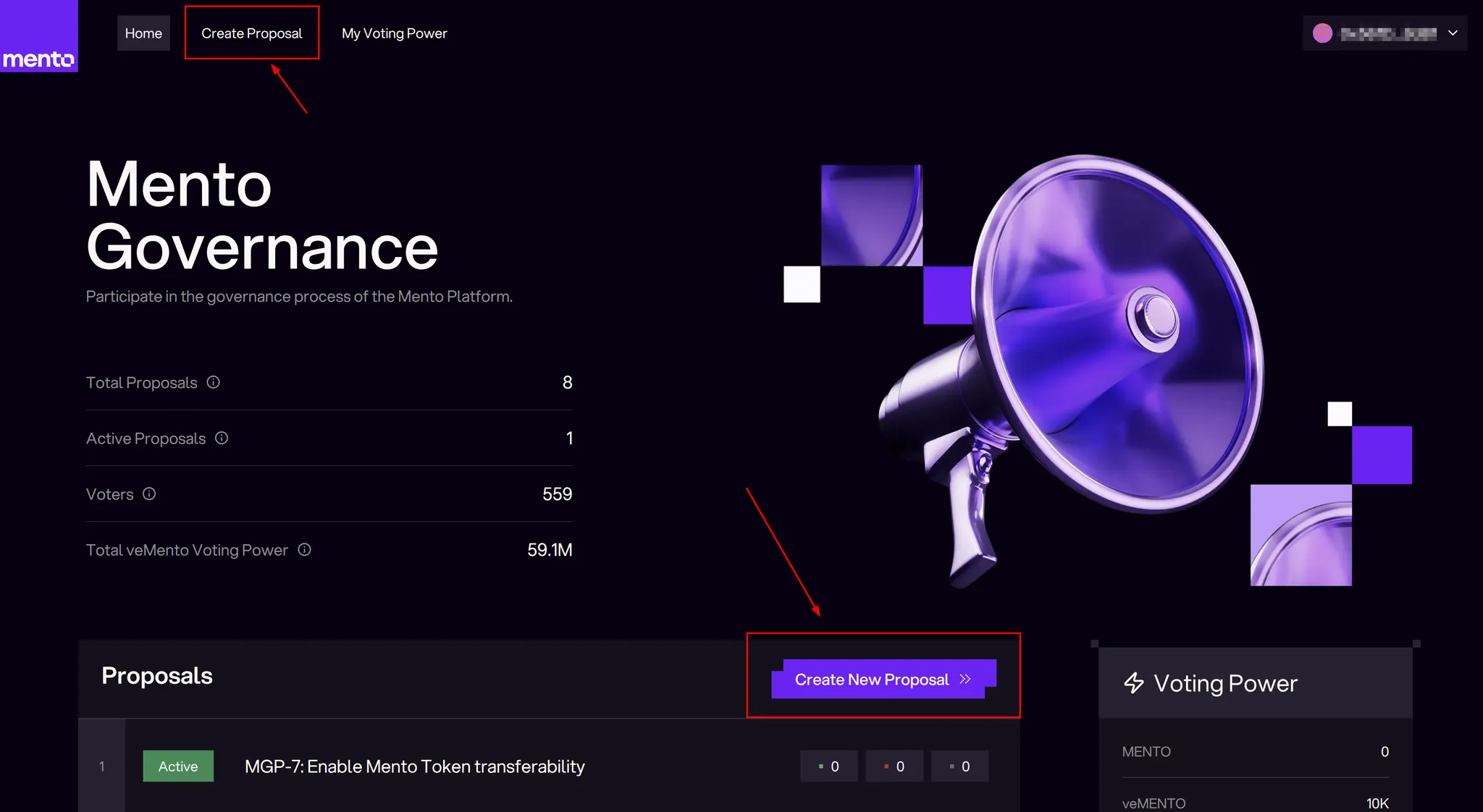
Navigate to [governance.mento.org](https://governance.mento.org/) and click "Create Proposal" in the header or the main proposal list.
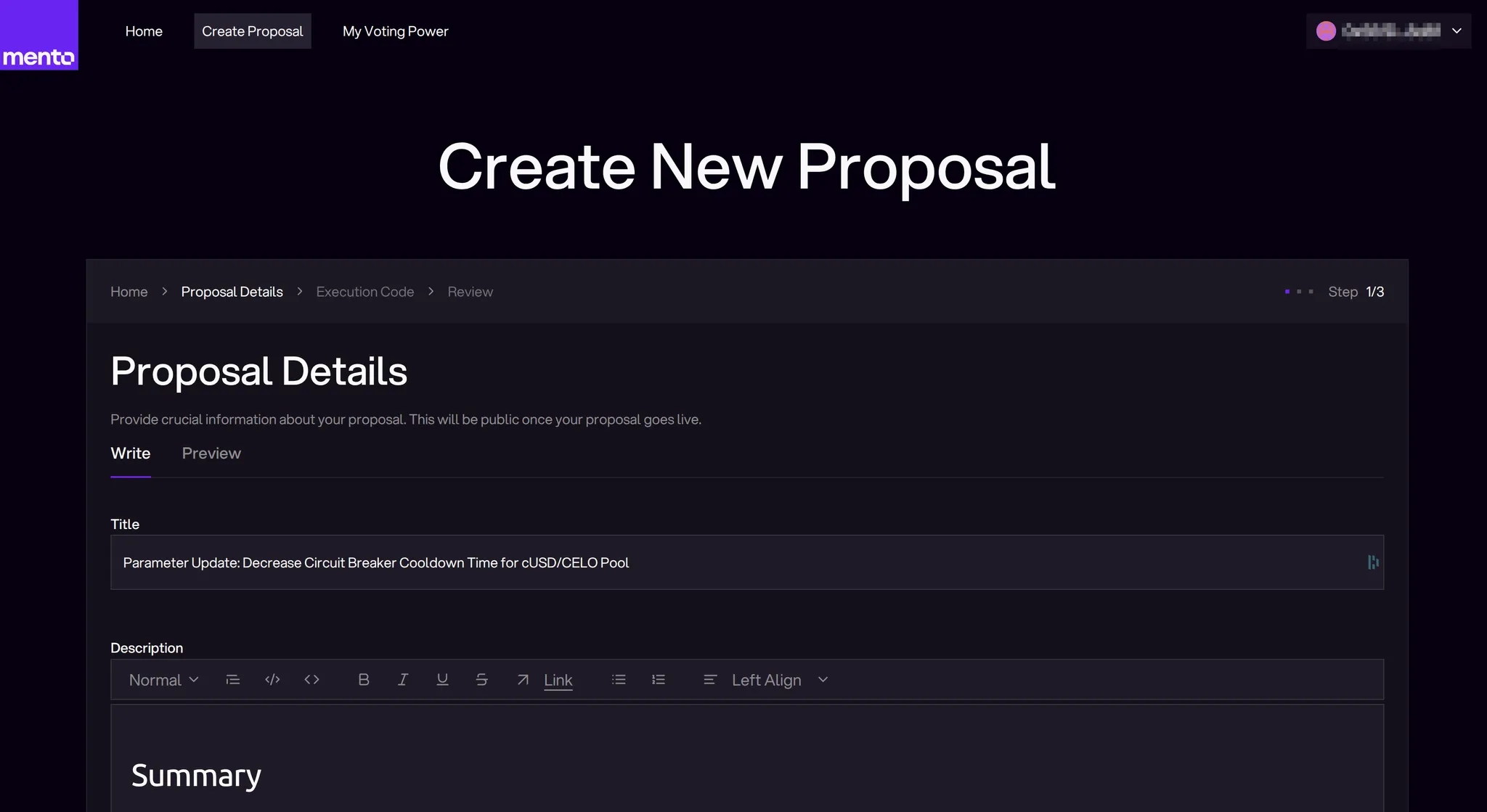
### Step 2: Enter Proposal Details
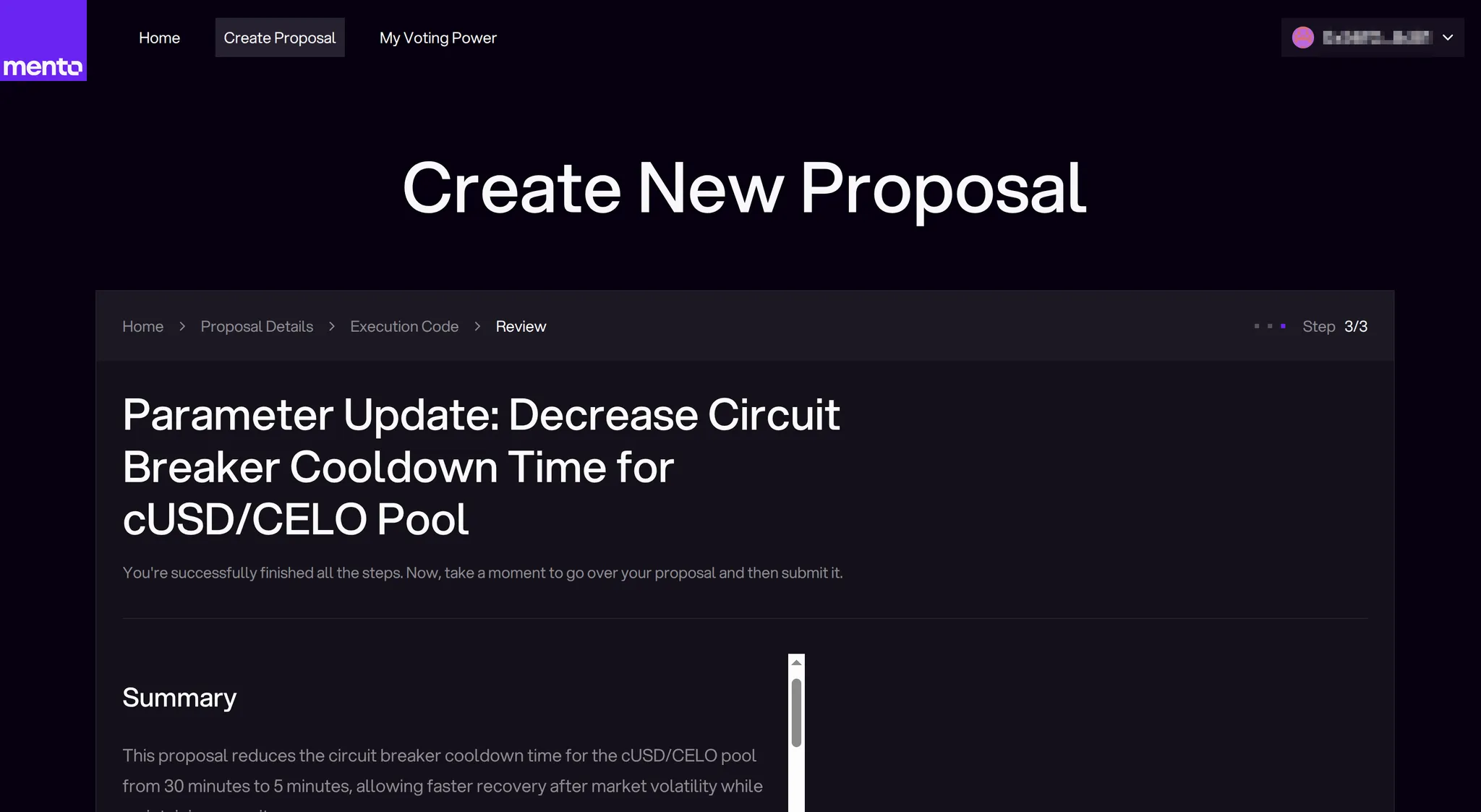
The interface guides you through three steps:
Proposal Details → Execution Code → Review
**Title**
* Keep it clear and descriptive
* Maximum impact in minimum words
* Include proposal type, if possible (e.g., "Parameter Update:", "Treasury Request:")
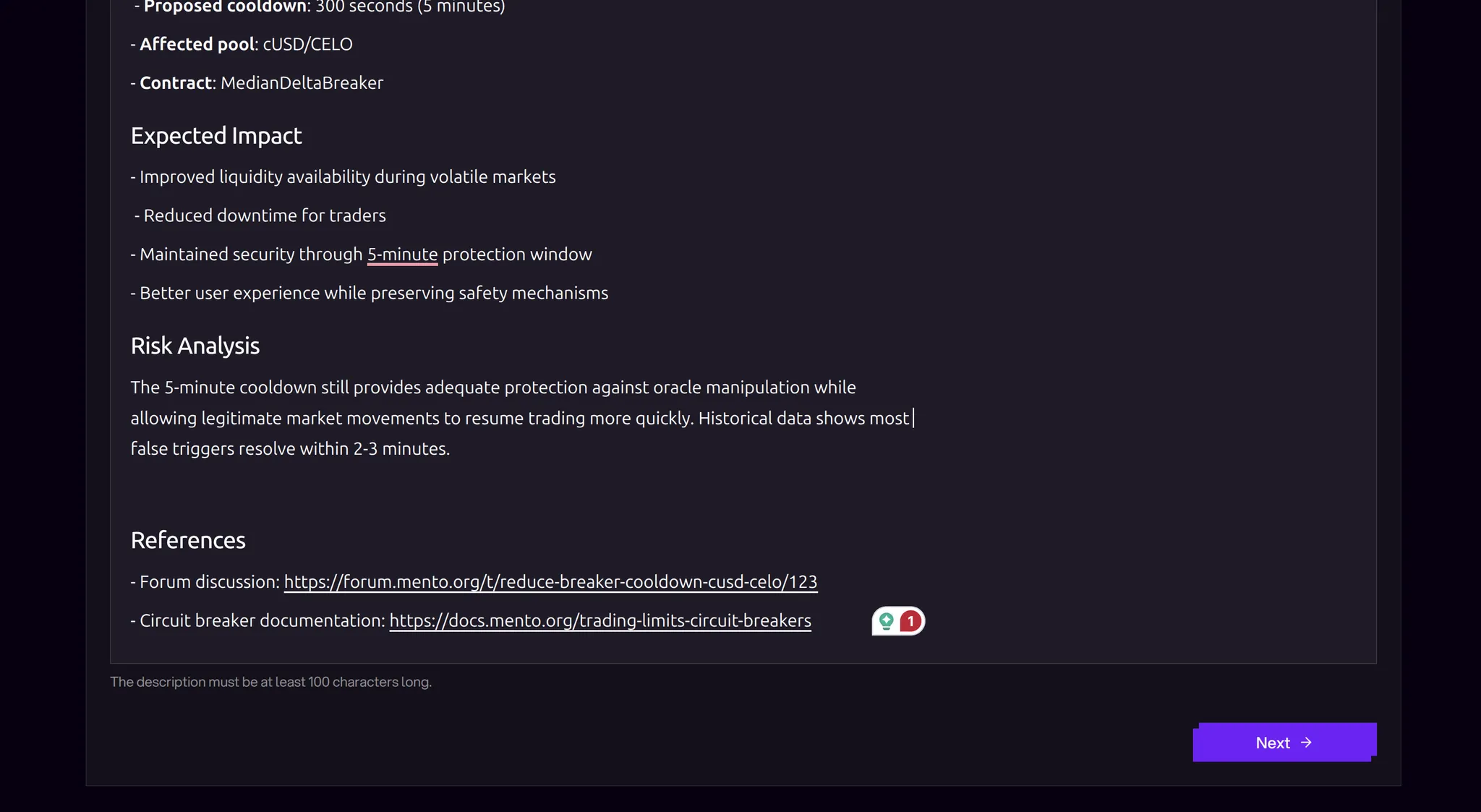
**Description**
* Follow the [proposal template](#structure-template)
* Minimum 100 characters required
* Use the rich text editor for formatting
* Include problem statement, proposed solution, expected impact
* Link to forum discussion
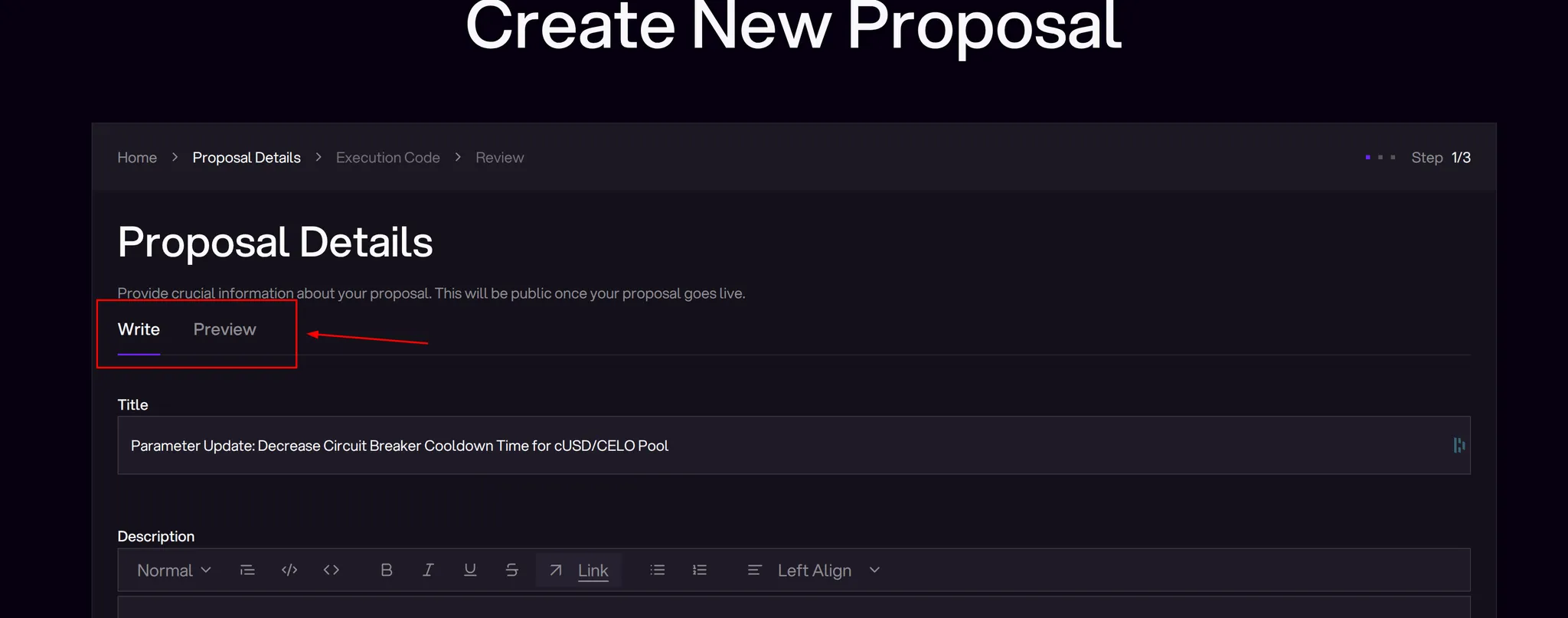
**Preview Tab**
* Switch between Write/Preview modes
* Verify formatting appears correctly
* Check all links work properly
### Step 3: Add Execution Code
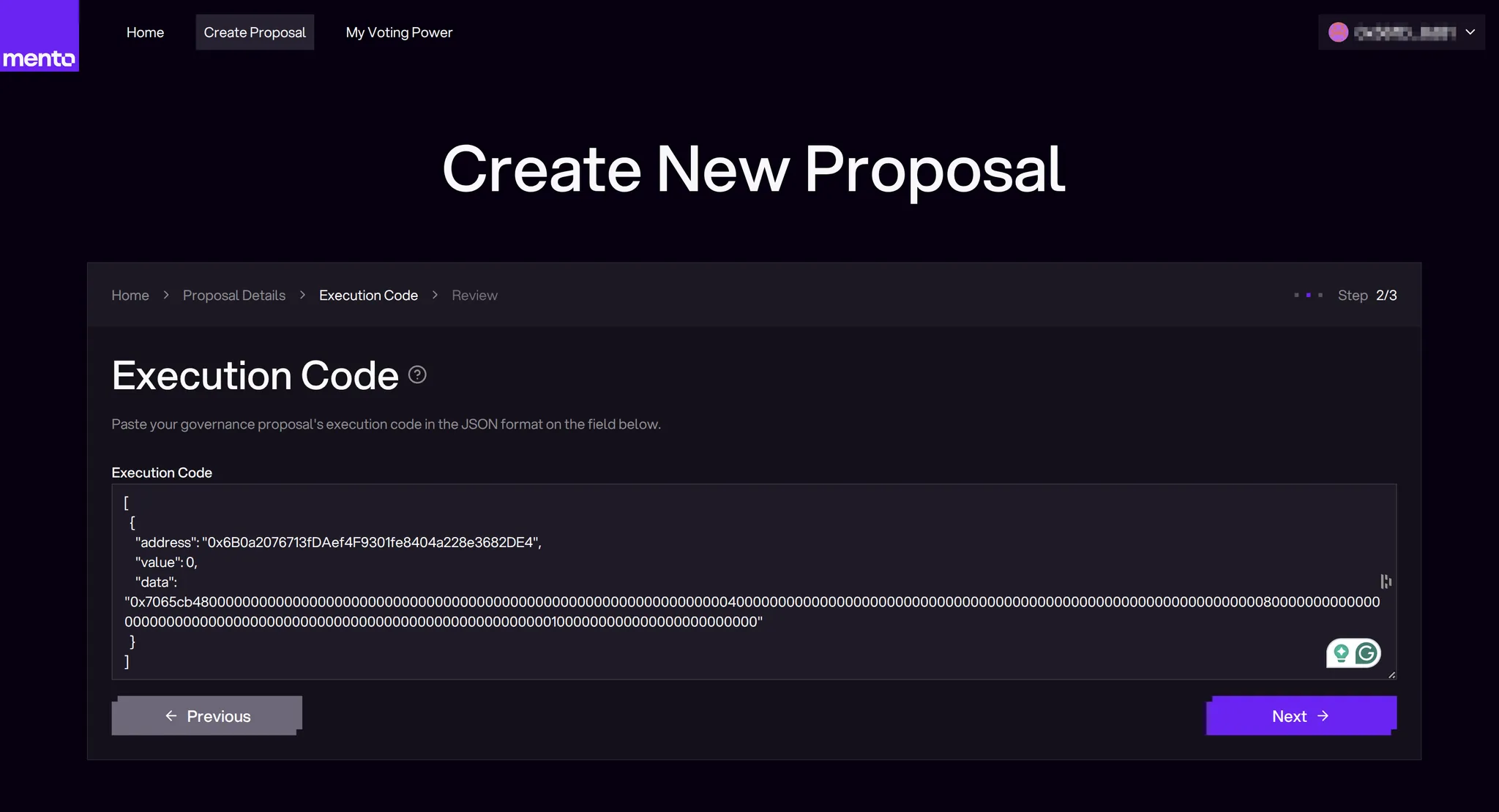
Click "Next" to proceed to the Execution Code step.
**Does Your Proposal Need Execution Code?**
Not all proposals require execution code:
* **No code needed**: If your proposal is signaling intent, requesting off-chain actions, or doesn't call any contracts, leave this field empty
* **Code required**: If your proposal changes protocol parameters, moves funds, or updates contracts, you'll need to provide execution code
**For Proposals Requiring Execution Code**
**Understanding Execution Requirements**
* Must be valid JSON array
* Must contain at least one transaction object
* Each transaction needs: address, value, data
**Code Structure**:
json
```json
[
{
"address": "0x...", // Target contract address*
"value": 0, // CELO value (usually 0 unless requesting funds)*
"data": "0x..." // Encoded function call*
}
]
```
**Common Actions**:
* **Parameter updates**: Owner only, setter function calls
* **Treasury transfers**: Transfer functions with recipient/amount
* **Contract upgrades**: Proxy upgrade calls
* **Multiple actions**: Array of transaction objects
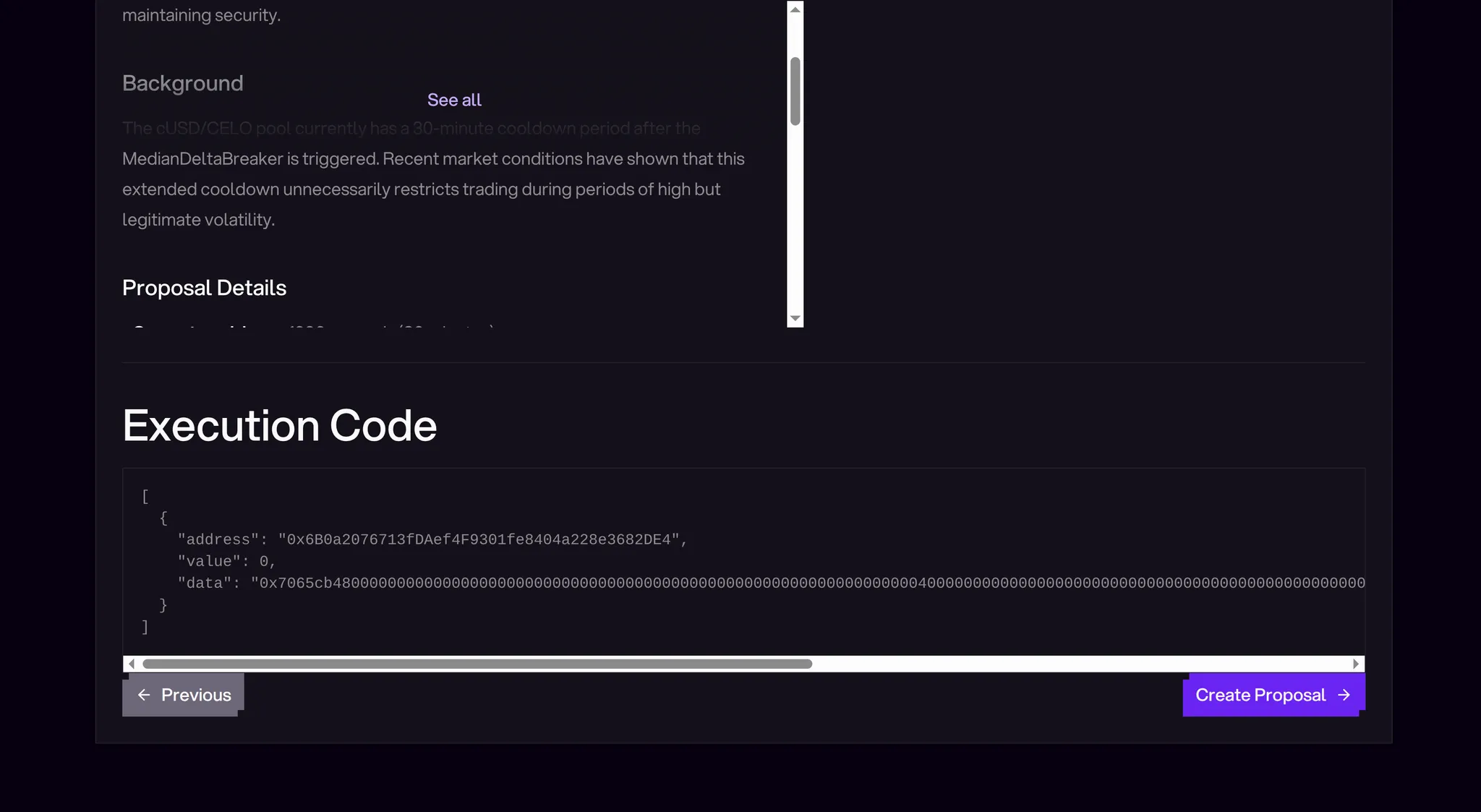
**Review Checklist**:
* ✓ Title accurately describes the proposal
* ✓ Description includes all necessary context
* ✓ Execution code is properly formatted
* ✓ All addresses are correct
* ✓ Forum discussion linked
**Submit Transaction**:
1. Click "Create Proposal"
2. Confirm details in wallet
3. Wait for transaction confirmation
Your proposal immediately enters the voting period upon successful submission.
## Writing Effective Proposals
### Structure Template
Title: [Type] Brief Description

# Summary (1-2 sentences)
What this proposal does and why it matters.

# Background
Context and problem this addresses.

# Proposal Details
Specific changes and implementation plan.

# Expected Impact
Benefits and potential risks.

# Technical Specification
Exact parameters, addresses, and values.

# Timeline
Implementation schedule post-execution.

References

- Forum discussion: [link]
- Related proposals: [links]
- Technical documentation: [links]
### Best Practices
**Clarity Above All**
* Write for both technical and non-technical audiences
* Define acronyms and technical terms
* Use concrete examples
**Build Support Early**
* Engage key stakeholders before submission
* Address concerns in forum discussion
* Consider co-proposers for complex initiatives
**Be Specific**
* Exact parameter values, not ranges
* Precise implementation details
* Clear success metrics
**Show Your Work**
* Include calculations and reasoning
* Link to supporting data
* Provide simulation results if applicable
## Proposal Lifecycle
After submission, your proposal follows this path:
1. **Active** (8 days) - Voting period
2. **Succeeded/Defeated** - Based on results
3. **Queued** (2 days) - Timelock Veto period where a security council of community members can veto proposals deemed malicious
4. **Executed** - Changes go live, included code is executed onchain
Monitor each stage and be available to answer questions throughout.
## Common Mistakes to Avoid
**Technical Errors**
* ❌ Wrong contract addresses
* ❌ Incorrect function signatures
* ❌ Missing "0x" prefix on data
* ❌ Invalid JSON format
**Process Errors**
* ❌ Skipping forum discussion
* ❌ Insufficient proposal detail
* ❌ No impact analysis
* ❌ Missing technical review
**Strategic Errors**
* ❌ Bundling unrelated changes
* ❌ Ignoring community feedback
* ❌ Unrealistic timelines
## Resources and Tools
#### Encoding Tools - For composing execution code
* [Ethereum ABI Encoder](https://abi.hashex.org/)
* [Foundry cast commands](https://getfoundry.sh/cast/reference/cast/)
#### Contract References
* [Mento Contracts GitHub](https://github.com/mento-protocol)
* [Deployed addresses documentation](/mento-v3/build/deployments/addresses.md)
#### Support Channels
* [Discord #general channel](https://discord.com/channels/966739027782955068/966739028256907368)
---
# Agent Instructions
This documentation is published with GitBook. GitBook is the documentation platform designed so that both humans and AI agents can read, navigate, and reason over technical content effectively. Learn more at gitbook.com.
## Querying This Documentation
If you need additional information that is not directly available in this page, you can query the documentation by asking a question.
Perform an HTTP GET request on the following URL with the `ask` and `goal` query parameters:
```
GET https://docs.mento.org/mento-v3/dive-deeper/governance-and-mento/participating-in-governance/creating-proposals.md?ask=&goal=
```
`ask` is the immediate question: it should be specific, self-contained, and written in natural language.
`goal` is what the user is ultimately trying to achieve, the reason they need the answer. Sharing it helps GitBook give you a better, more relevant answer. A goal is most helpful when it describes the outcome the user wants rather than restating the question. For example, with `ask=how do I create an API token`, a goal like `automate deployments from our CI pipeline` lets GitBook tailor the answer to that use case.
The response will contain a direct answer to the question and relevant excerpts and sources from the documentation.
Use this mechanism when the answer is not explicitly present in the current page, you need clarification or additional context, or you want to retrieve related documentation sections.