> For the complete documentation index, see [llms.txt](https://docs.mento.org/mento-v3/llms.txt). Markdown versions of documentation pages are available by appending `.md` to page URLs; this page is available as [Markdown](https://docs.mento.org/mento-v3/dive-deeper/governance-and-mento/participating-in-governance/vemento-and-voting-power.md).
# veMENTO & Voting Power
## Understanding veMENTO
veMENTO (vote-escrowed MENTO) is the cornerstone of Mento governance. When you lock MENTO tokens, you receive veMENTO, which represents your voting power in the protocol. This system ensures that governance participants are aligned with Mento's long-term success.
### How veMENTO Works
The veMENTO model rewards longer commitments with greater voting power:
* **Initial Balance**: veMENTO proportional to lock duration (maximum 1:1 ratio for 2-year locks)
* **Weekly Decay**: Your veMENTO decreases by a fixed amount each week until reaching zero
* **Non-transferable**: veMENTO is bound to your address
* **Underlying MENTO:** Unlocks gradually each week and can be withdrawn as it becomes available
The weekly decay rate = initial veMENTO ÷ lock period in weeks
**Example Scenarios**:
* **1-year lock (52 weeks)**: 1,000 MENTO → 500 veMENTO initially
* Decays by \~9.62 veMENTO per week
* After 6 months: \~250 veMENTO
* After 1 year: 0 veMENTO
* **2-year lock (104 weeks)**: 1,000 MENTO → 1,000 veMENTO initially
* Decays by \~9.62 veMENTO per week
* After 6 months: \~750 veMENTO
* After 1 year: \~500 veMENTO
* After 2 years: 0 veMENTO
## Creating Your veMENTO Position
### Prerequisites
Before locking:
* Hold MENTO tokens in your wallet
* Have sufficient CELO for gas fees
* Understand the lock commitment: MENTO unlocks gradually over your chosen period and cannot be withdrawn faster than this schedule
#### Step 1: Access the Voting Power Interface
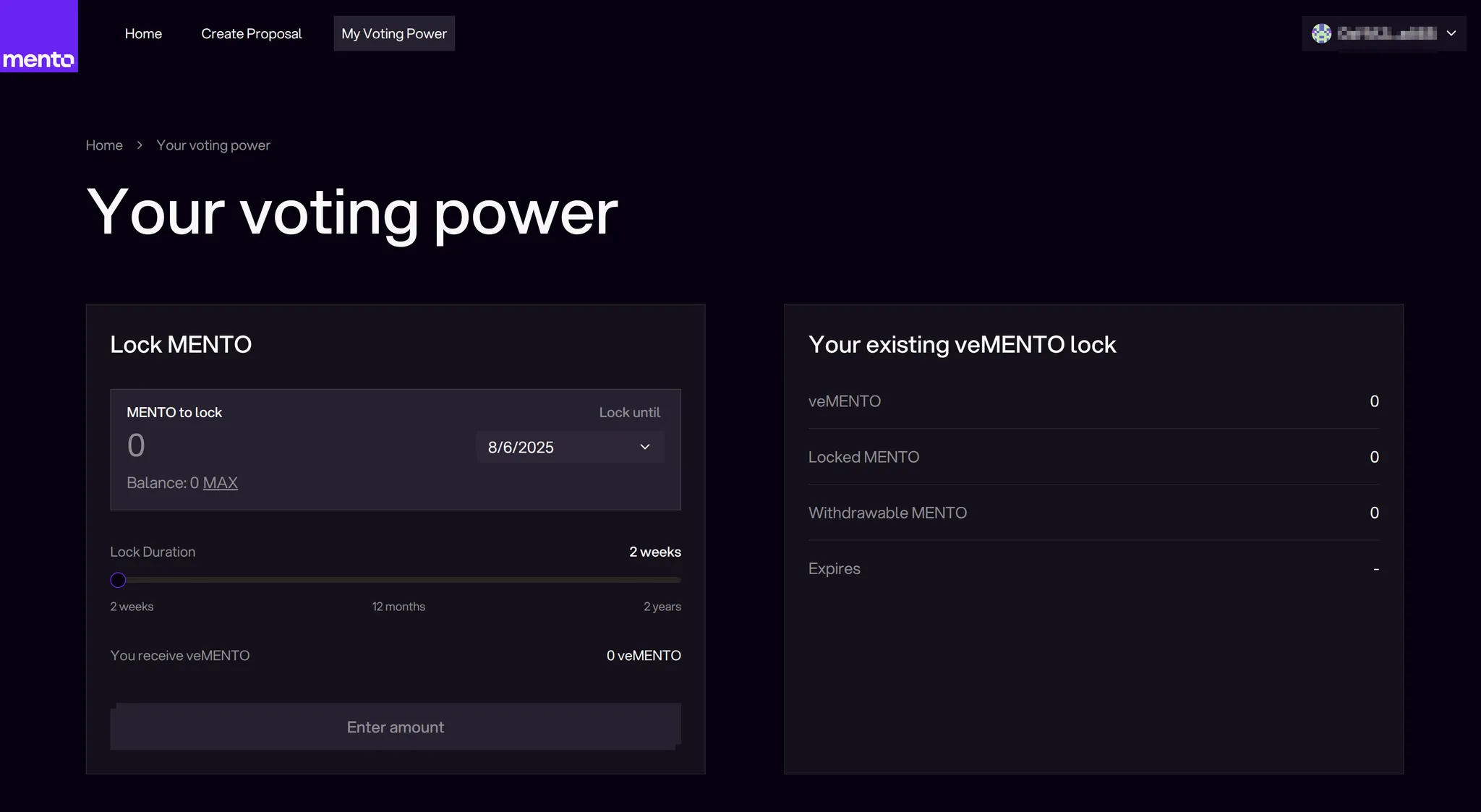
Navigate to [governance.mento.org/voting-power](https://governance.mento.org/voting-power) and connect your wallet.
The interface displays:
* Your current MENTO balance
* Existing veMENTO position (if any)
* Lock creation interface
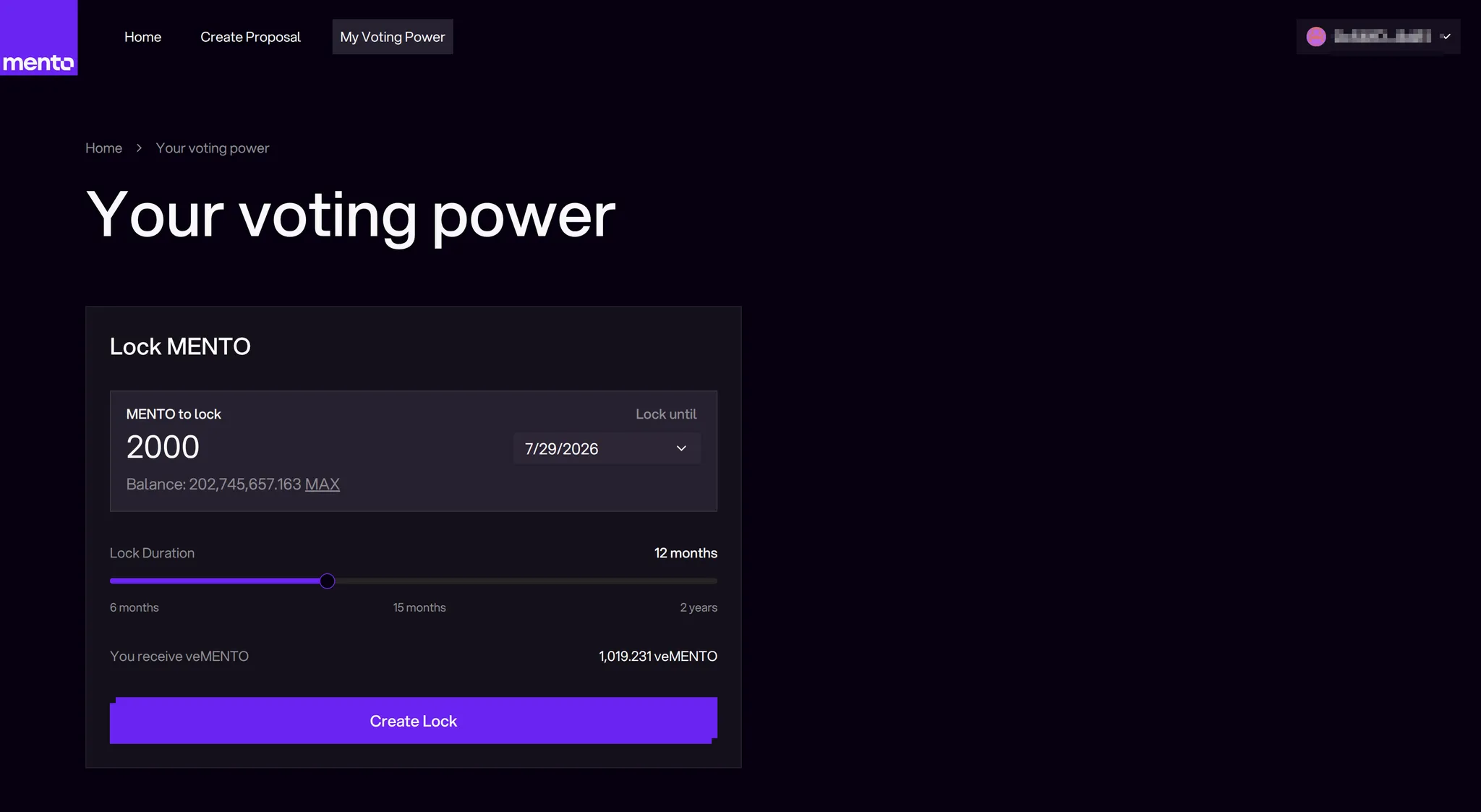
#### Step 2: Choose Your Lock Parameters
**Select Lock Amount**
* Enter the amount of MENTO to lock
* Minimum lock amount: 1 MENTO (1e18 wei)
* The interface shows your maximum available MENTO balance
**Select Lock Duration**
* Choose how long you want to lock your MENTO (up to \~2 years)
* Longer lock periods = slower veMENTO decay = more sustained voting power
#### Step 3: Review and Execute Transaction
Before confirming, review:
* **Lock Amount**: Verify the MENTO amount
* **Initial veMENTO**: Your starting voting power (proportional to lock duration)
* **Lock Until Date**: When your locked MENTO becomes fully withdrawable
Now:
1. Click "Create Lock"
2. Approve MENTO spending
3. Confirm lock transaction
4. Wait for transaction confirmation
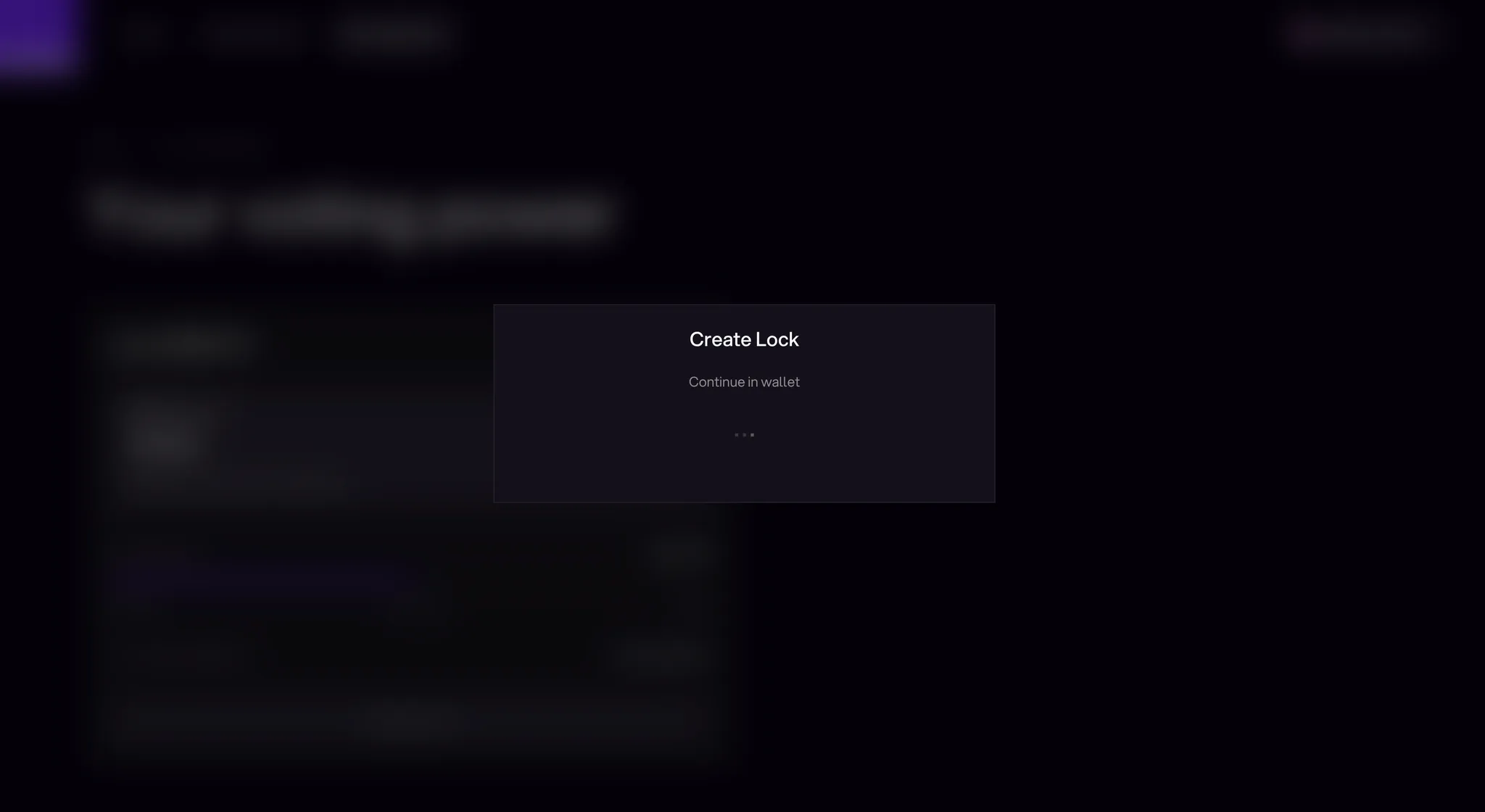
You will be prompted to confirm the transaction in your wallet
Your veMENTO balance appears immediately after the transaction confirms.
## Managing Your Position
### Viewing Your Position
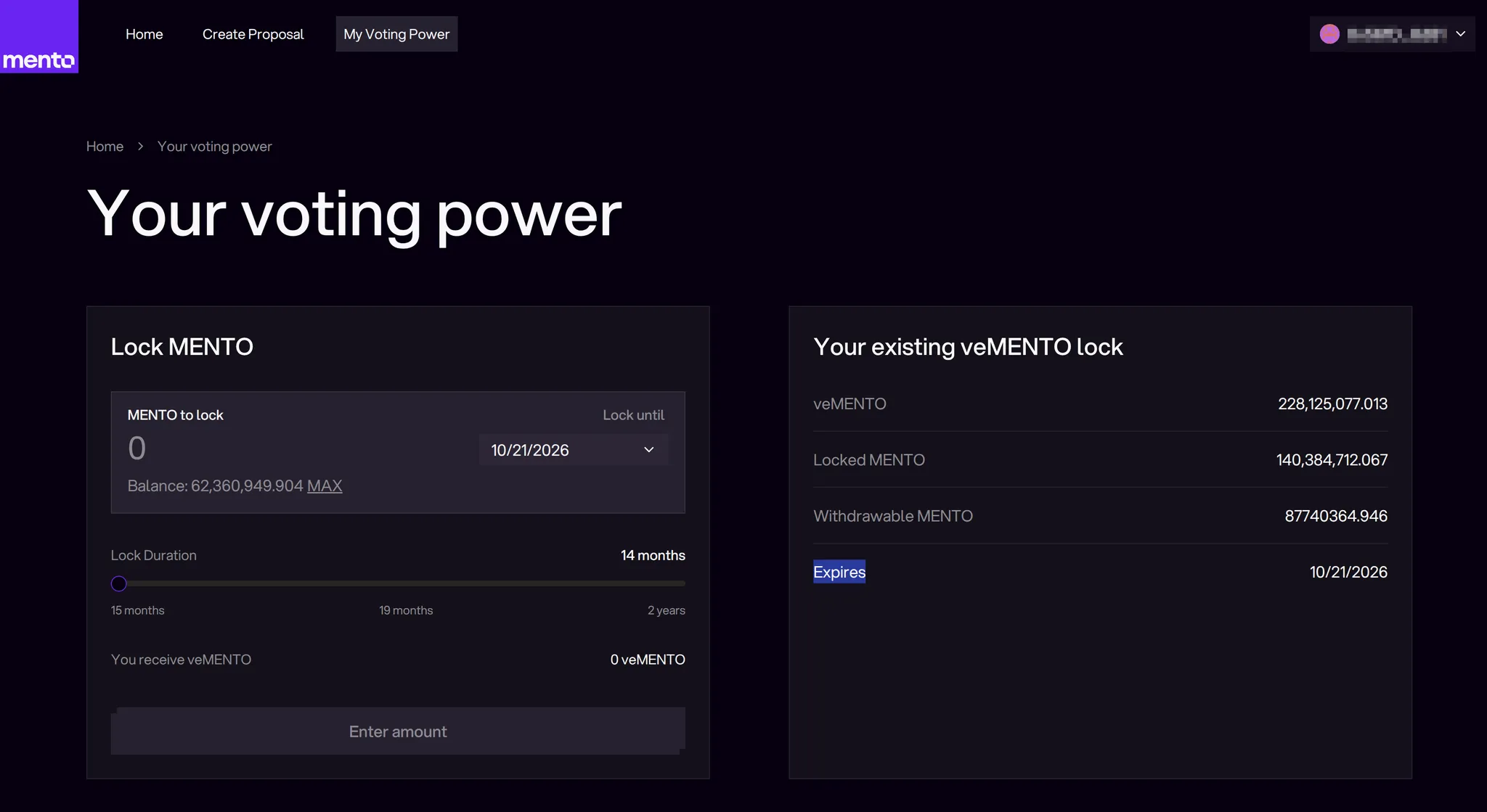
The voting power page displays:
* **Current veMENTO Balance**: Your active voting power
* **Locked MENTO:** The amount of MENTO that is locked and not withdrawable
* **Withdrawable MENTO:** The amount of MENTO that has unlocked and is withdrawable
* **Expires:** When the lock expires, all your MENTO will be withdrawable
### Modifying Your Lock
Once you have an active lock, you can strengthen your governance position via three options:
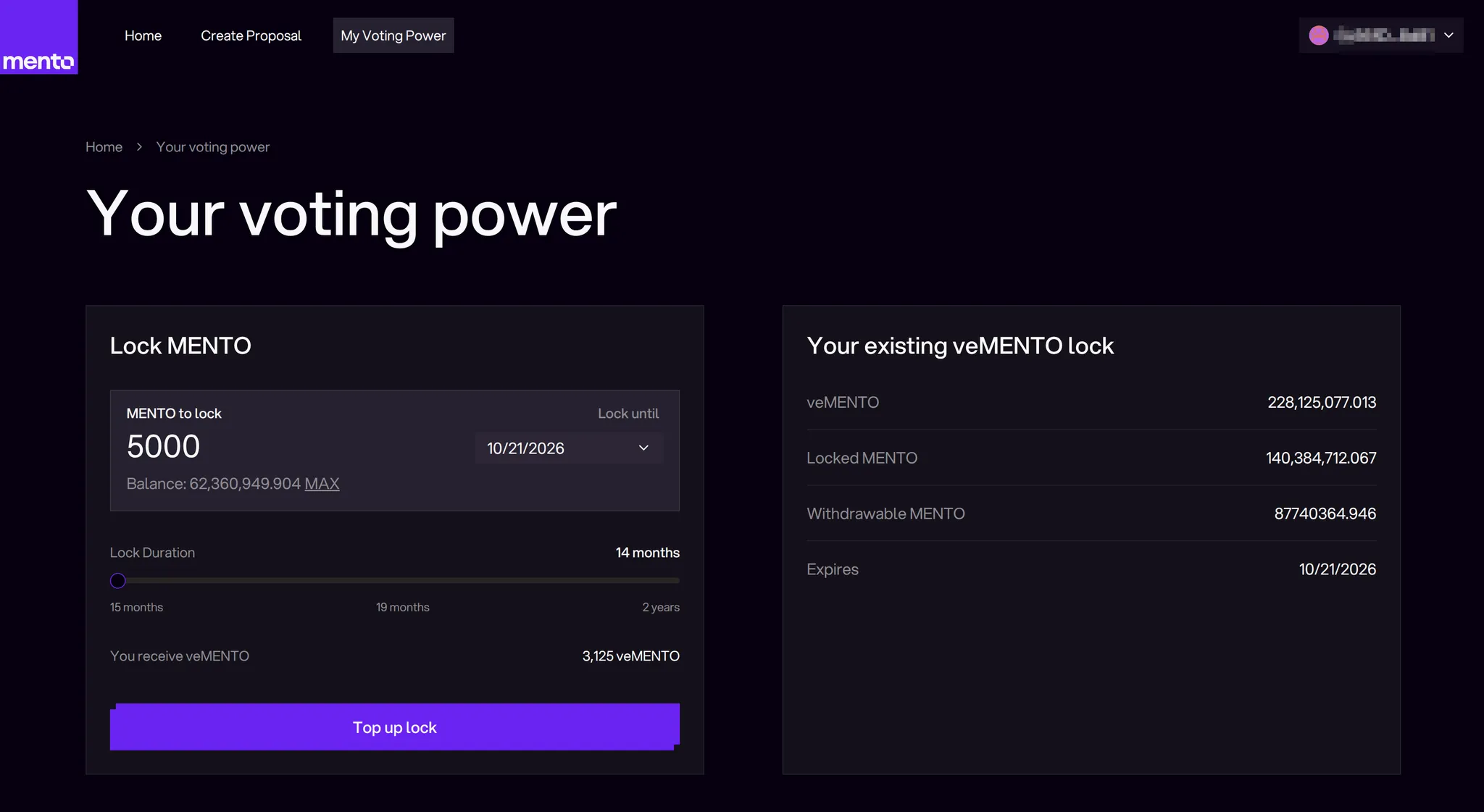
#### Top Up Your Lock
Add more MENTO to your existing lock without changing the unlock date:
1. Enter the amount of MENTO to add in the "MENTO to lock" field
2. Keep the lock duration slider at its current position
3. Your additional MENTO will adopt the same unlock date as your existing lock
4. Click "Top up lock" and confirm the transaction
This increases your veMENTO proportionally while maintaining your current unlock schedule.
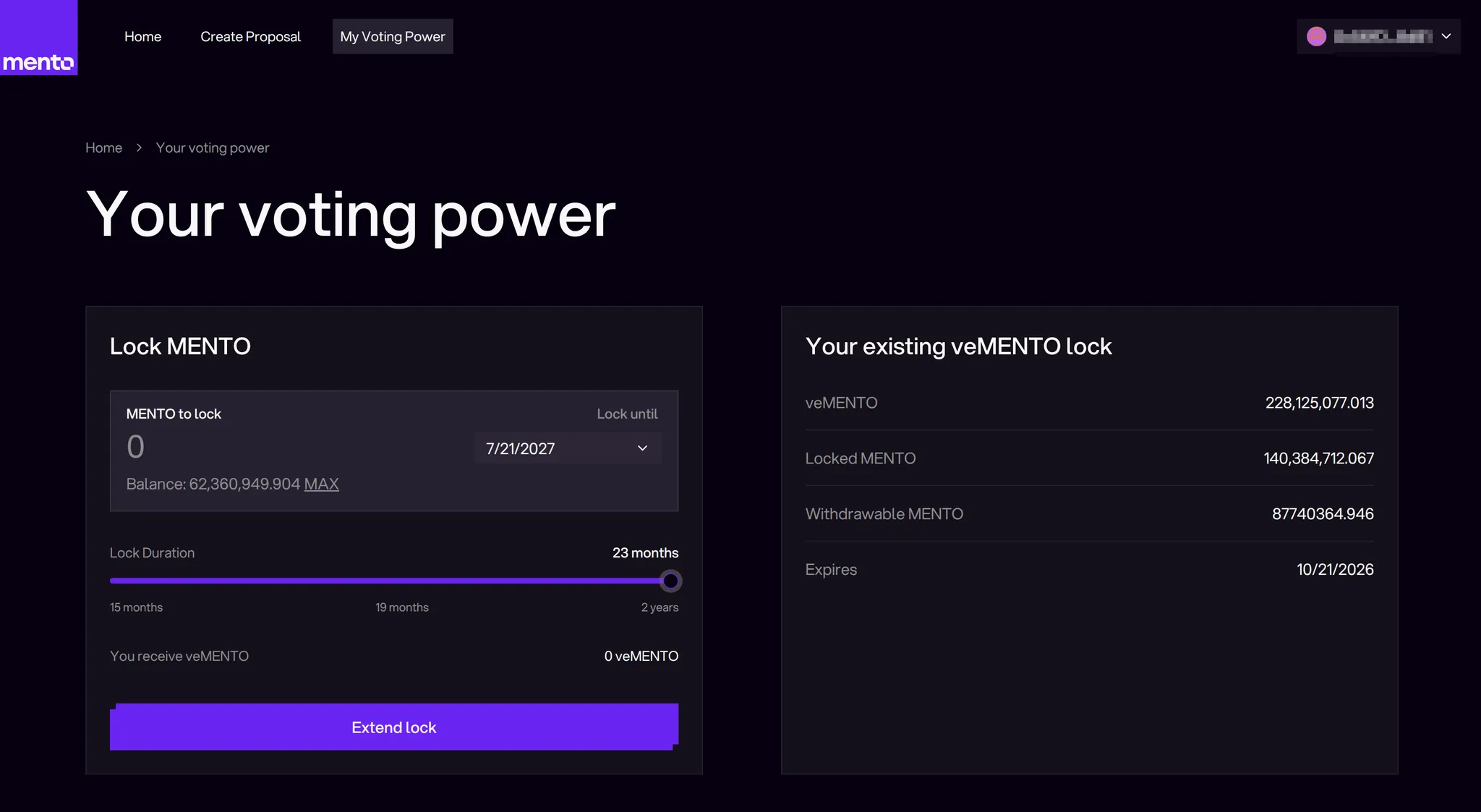
#### Extend Your Lock
Extend your unlock date to slow decay and maintain voting power longer:
1. Keep the "MENTO to lock" field at 0
2. Move the lock duration slider to your desired new duration
3. This pushes your unlock date further into the future
4. Click "Extend lock" and confirm the transaction
Extending resets your veMENTO for your locked amount and restarts the decay from the new duration.
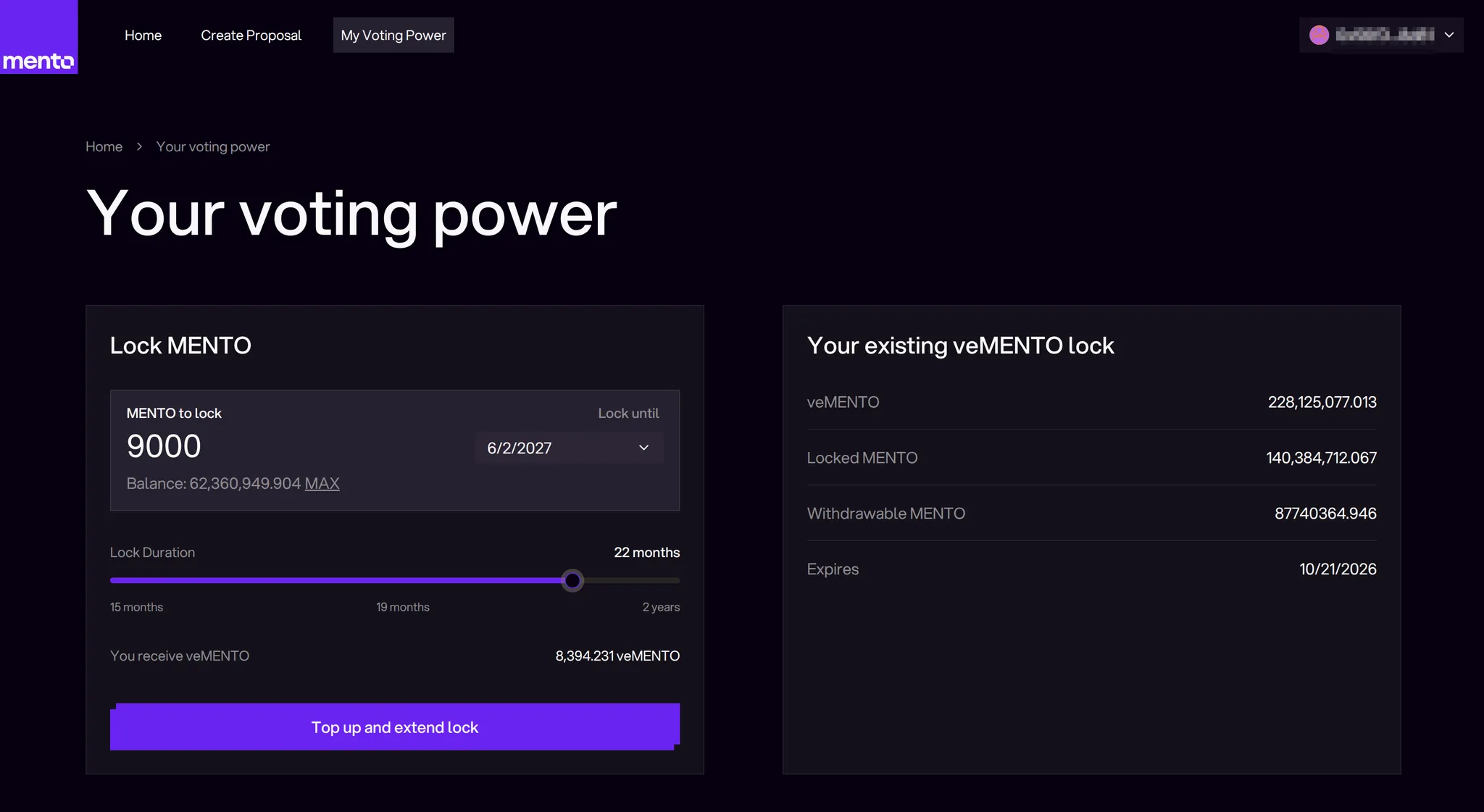
#### Top Up and Extend
Combine both actions to add more MENTO and extend your lock period:
1. Enter the additional MENTO amount you want to lock
2. Adjust the duration slider to your new desired lock period
3. This both increases your locked MENTO and extends your unlock date
4. Click "Top up and extend lock" and confirm the transaction
This maximizes your voting power by increasing both the amount locked and the time commitment.
**Key Points**:
* All modifications are irreversible - you cannot reduce your locked amount or duration afterwards and will have to wait until your lock expires
* Extensions reset your veMENTO to the full locked amount
* Top-ups add veMENTO based on the remaining lock duration
#### Important Restrictions
You **cannot**:
* ❌ Reduce your lock amount or duration
* ❌ Transfer veMENTO to another address
## Common Questions
What happens when my veMENTO reaches zero?
Your MENTO becomes fully withdrawable. To regain voting power, withdraw and create a new lock, or relock before it reaches zero.
Can I have multiple locks?
No, each address can only have one active lock. You can add to your existing lock or relock with new parameters.
What's the minimum lock amount?
1 MENTO (1e18 wei). There's no maximum limit.
Do I earn anything while locked?
veMENTO holders do not earn direct revenue-sharing rewards. Their role is to control how protocol revenue is allocated, including **protocol-driven MENTO token buybacks** and liquidity incentives. In the current design, protocol revenue is intended to reach MENTO holders **indirectly** through buybacks rather than through direct distributions to veMENTO holders.
Can I transfer my locked position?
No, locked positions are non-transferable. The lock is permanently bound to your address.
---
# Agent Instructions
This documentation is published with GitBook. GitBook is the documentation platform designed so that both humans and AI agents can read, navigate, and reason over technical content effectively. Learn more at gitbook.com.
## Querying This Documentation
If you need additional information that is not directly available in this page, you can query the documentation by asking a question.
Perform an HTTP GET request on the following URL with the `ask` and `goal` query parameters:
```
GET https://docs.mento.org/mento-v3/dive-deeper/governance-and-mento/participating-in-governance/vemento-and-voting-power.md?ask=&goal=
```
`ask` is the immediate question: it should be specific, self-contained, and written in natural language.
`goal` is what the user is ultimately trying to achieve, the reason they need the answer. Sharing it helps GitBook give you a better, more relevant answer. A goal is most helpful when it describes the outcome the user wants rather than restating the question. For example, with `ask=how do I create an API token`, a goal like `automate deployments from our CI pipeline` lets GitBook tailor the answer to that use case.
The response will contain a direct answer to the question and relevant excerpts and sources from the documentation.
Use this mechanism when the answer is not explicitly present in the current page, you need clarification or additional context, or you want to retrieve related documentation sections.